

MatSimKit-Design
Material Intelligent Design Software
"Professional material calculation through natural language conversation"
Deeply integrates LLMs with JMatPro thermodynamic engine, enabling alloy design and property analysis through natural language conversations — no complex software training required.
Product Overview
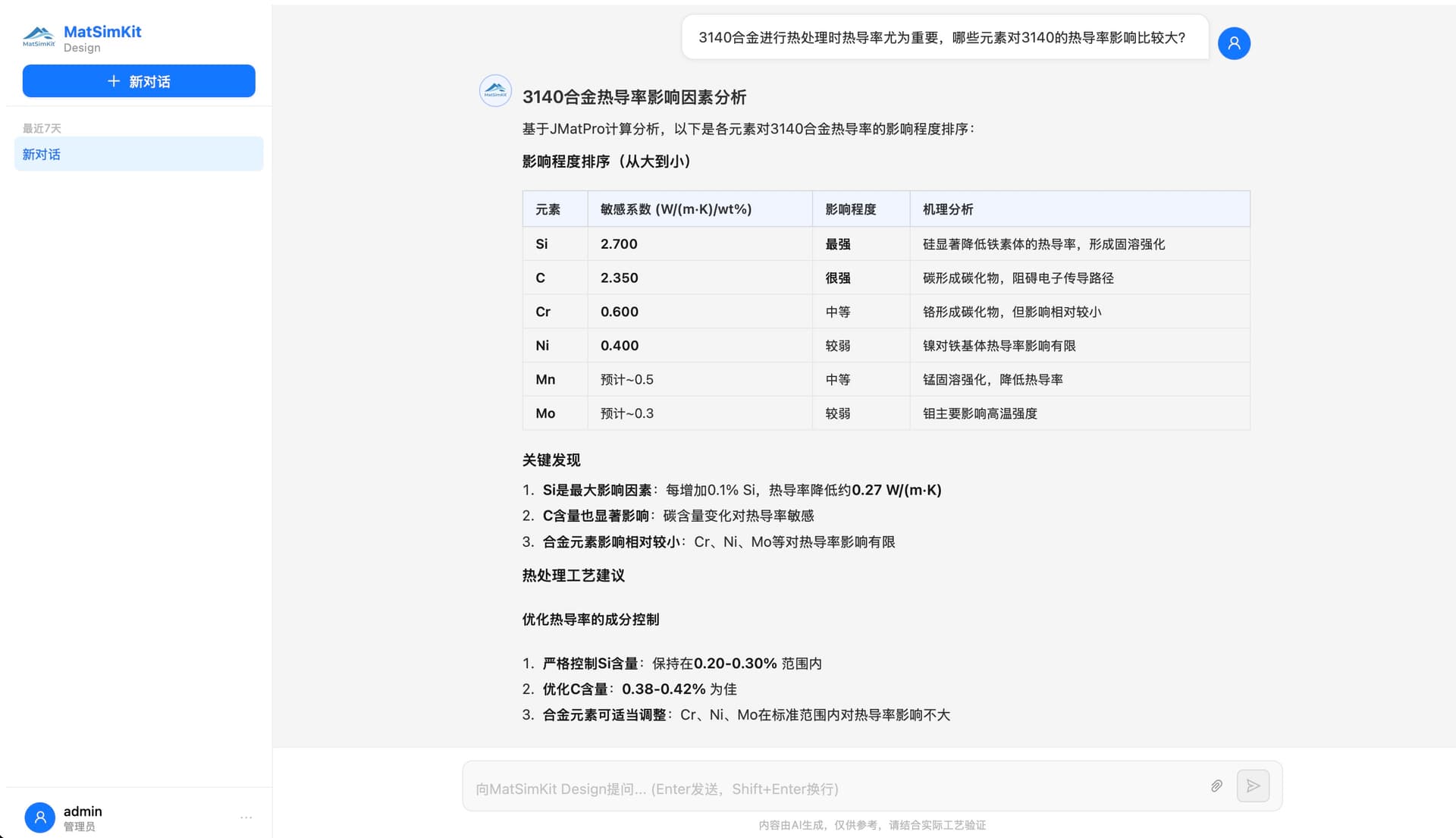
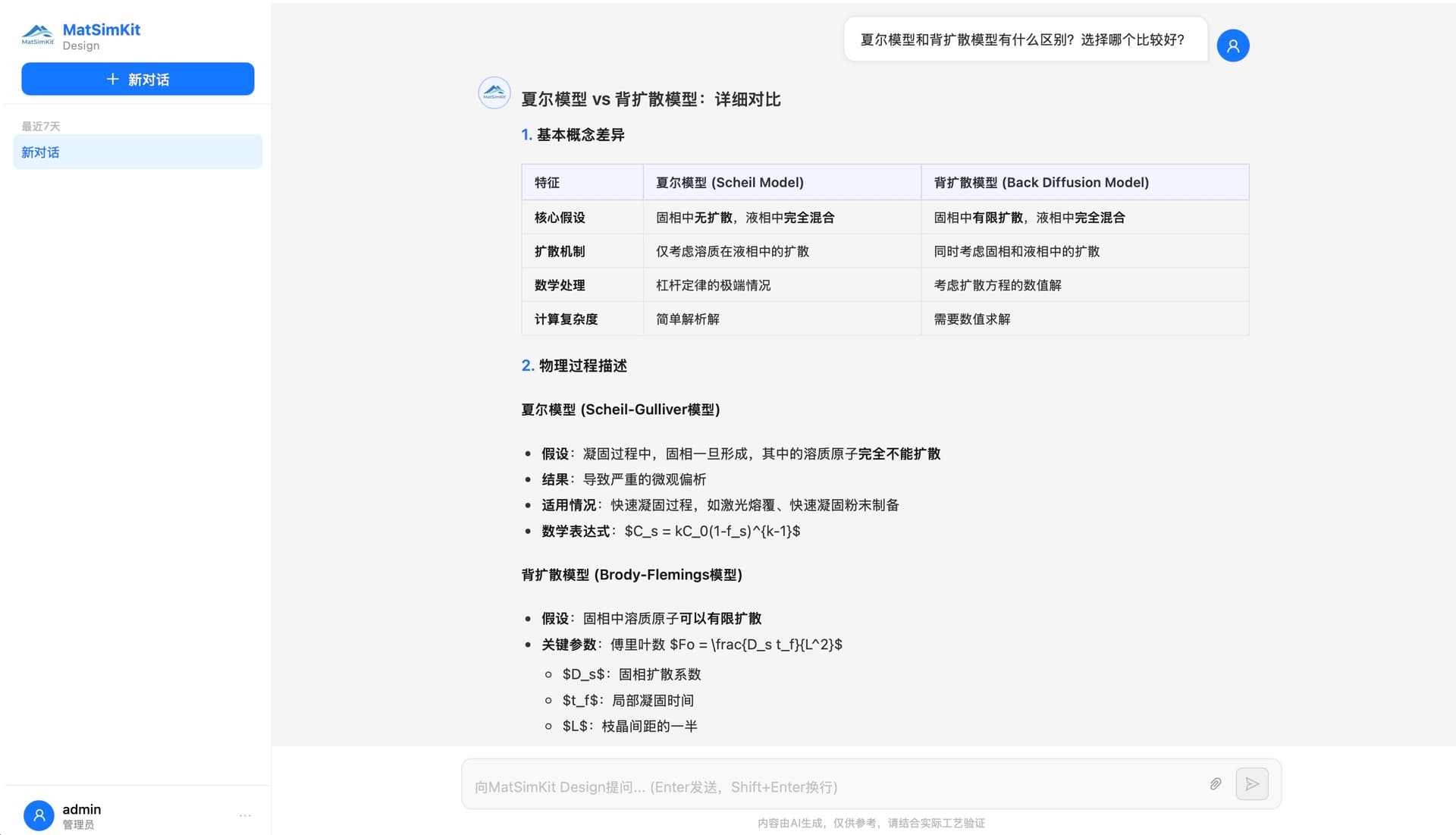
AI Dialogue-Driven Material Calculation
A ChatGPT-like interface lets engineers describe calculation needs in everyday language — for example, "Calculate the solidification range of IN718" or "Compare the high-temperature strength of two stainless steels" — and the AI Agent automatically interprets the intent, calls the JMatPro® engine, and presents results as charts and professional recommendations, with no knowledge of software operation required. Multi-turn dialogue with full history management allows engineers to continue questioning and deepen analysis within the same session.
The software covers all nine alloy types — iron alloys, cobalt alloys, nickel alloys, aluminum alloys, magnesium alloys, titanium alloys, copper alloys, zirconium alloys, and tin alloys — and supports thermodynamic calculations, thermophysical property calculations, solidification calculations, mechanical property calculations, kinetic phase transformation calculations, and more. From stating a requirement to receiving a chart typically takes just a few minutes, drastically compressing traditional calculation workflows.
Multi-Scheme Batch Comparison and Visualization
Engineers can request calculations for multiple alloy schemes within a single conversation; the AI processes all schemes in parallel and automatically generates a side-by-side comparison table showing differences across key performance indicators. A performance radar chart is also generated automatically, providing a multi-dimensional view of trade-offs among schemes for intuitive multi-objective decision-making.
This capability is especially valuable during the candidate alloy screening phase: engineers simply describe target performance ranges, the AI batch-calculates and ranks candidates, greatly reducing the number of schemes that need physical experimental validation and significantly lowering R&D cost and lead time.
Experimental Data Fusion and Sensitivity Analysis
Users can upload experimental measurement data in CSV format; the AI automatically parses the content and overlays it with calculation results for direct comparison, clearly showing discrepancies between computed and measured values. This helps engineers assess model accuracy and pinpoint the root cause of performance deviations, enabling a calculation-plus-experiment dual-driven R&D workflow.
The sensitivity analysis function lets users scan a range of element content; the system batch-calculates how that element's variation affects target properties and plots the influence curve, quantifying each element's contribution weight. This provides data-backed guidance for composition fine-tuning and process parameter optimization, effectively replacing large numbers of single-factor experiments.
Product Highlights
Zero Learning Curve, Ready Immediately
No software training needed — describe your needs in plain language and receive calculation results with professional recommendations, bringing the barrier to material calculation to an absolute minimum.
Results in Minutes, Shorter R&D Cycles
From stating a requirement to receiving a chart typically takes just minutes; multi-scheme batch calculations run in parallel, compressing workflows that previously took hours or even days.
Side-by-Side Comparison, Decisions Backed by Data
Calculate multiple alloy schemes in one conversation; auto-generated comparison tables and performance radar charts turn multi-objective decisions from gut feel into data-driven choices.
Calculation + Experiment, More Reliable R&D
Upload experimental data for instant fusion comparison with calculation results; sensitivity analysis quantifies each element's influence, reducing blind trial-and-error and grounding every R&D decision in evidence.
Application Scenarios

New Alloy Composition Design
Describe target property metrics; AI recommends and validates composition ranges, completing in minutes work that previously took hours of manual lookup.

Multi-Scheme Screening
Quickly identify the optimal solution among candidate alloy schemes with auto-generated comparison charts, reducing physical experiments and R&D cost.

Process Parameter Optimization
Analyze the influence of key element content on properties, guiding composition fine-tuning and accelerating process optimization decisions.

Casting Simulation Pre-Processing
Rapidly obtain thermophysical parameter data required for casting simulation, working seamlessly with MatSimKit-Flow.
Technical Specifications
| Platform | Windows 10+ / Linux / macOS |
| Version | V2.0.0 |
| Deployment | Local deployment, single process/port, no middleware |
| AI Interface | Supports OpenAI, DeepSeek, and any OpenAI-compatible APIs |
| Calculation Backend | JMatPro® API / MatSimKit-Flow (separate deployment required) |
| Concurrency | ≥ 10 concurrent conversations |
MatSimKit-Design
Professional material calculation through natural language conversation